How to Change Your Minecraft Username: Step-by-Step Guide (Java & Bedrock)
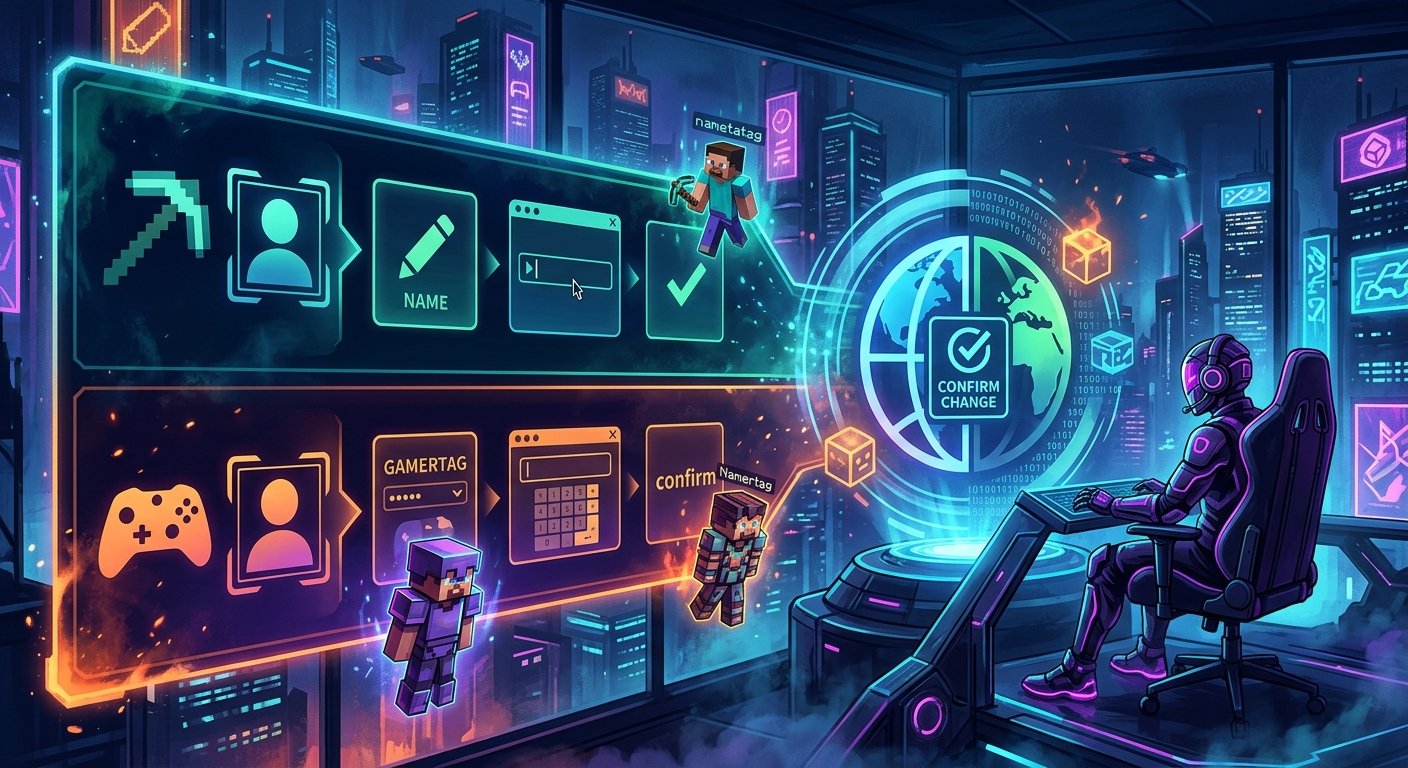
Rebranding your channel or switching your identity across SMP servers requires updating your Minecraft in-game name without breaking your existing brand. For gaming creators, your in-game name is your primary callsign in the kill feed, the tab list, and community chats, meaning a misspelled or impulsively chosen handle directly harms your visual discoverability on stream. Java Edition and Bedrock Edition handle usernames completely differently, routing identity through two distinct account backends with separate validation checks. If you attempt a rename without understanding Mojang's strict cooldown schedules and Xbox Gamertag formatting rules, you risk locking yourself into an accidental typo or losing an exclusive handle permanently.
Step-by-Step: Changing Your Java Edition Name on Minecraft.net
Changing your Java Edition handle cannot be done inside the game launcher or through in-game menus; it requires authentication through the official Mojang and Microsoft web portal. Start by navigating to Minecraft.net and clicking the Log In button in the upper right corner using your linked Microsoft credentials. Once authenticated, select Profile from the drop-down menu, then click on My Games to locate your owned copy of Minecraft: Java Edition. Click the Profile Name field underneath the Java entry, which opens the text prompt displaying your current in-game name. Type your chosen username into the text box and review the instant validation checkmark, which alerts you immediately if the name is already claimed or violates character formatting rules. Finally, click the green Change Profile Name button to lock in the update. The next time you launch Java Edition from the official launcher, log out and log back into your Microsoft account once to refresh your client authentication token, ensuring server tab lists display your new handle immediately.
Step-by-Step: Updating Your Bedrock Edition Gamertag via Microsoft
Bedrock Edition does not use standalone Mojang profile names; your in-game identity is bound directly to your Microsoft Xbox Gamertag across Windows, consoles, iOS, and Android. To update it, navigate to social.xbox.com/changegamertag in your web browser and sign in with the exact Microsoft account tied to your Minecraft purchase. Enter your desired handle in the text box and click Check Availability to see if the name is open without an appended numerical suffix. If you are changing your Gamertag for the first time on that Microsoft account, the change is entirely free, but subsequent changes cost $9.99 USD through the Xbox platform store. Review the final confirmation screen carefully, as Xbox will display both your classic gamertag and your modern gamertag with any automated numeric identifiers attached. Once confirmed, launch Bedrock Edition, navigate to Settings, and check the Profile tab to ensure your new Gamertag syncs across local worlds and Realm servers. For creators juggling multiple platforms, checking Platform Username Rules You'll Get Burned By (PSN, Xbox, Steam) beforehand prevents unexpected billing or formatting snags.
Character Limits and Formatting Rules for Java and Bedrock
The character constraints between the two editions cause frequent confusion when creators attempt to match handles across both platforms. Java Edition strictly enforces a length between 3 and 16 characters, allowing only alphanumeric characters (A-Z, a-z, 0-9) and the underscore symbol. Spaces, dashes, unicode symbols, and accented letters will immediately trigger a validation error on Minecraft.net. Bedrock Edition operates under modern Xbox Live rules, which cap classic gamertags at 15 characters and modern gamertags at 12 characters if a four-digit suffix is required. Unlike Java, Bedrock allows standard single spaces between words, but it disallows underscores entirely. If you use spaces on Bedrock, you will not be able to mirror that exact format on Java, forcing you to choose between combining words or using underscores on Java to maintain channel brand continuity. Choosing a handle that relies heavily on unconventional spacing often clashes with third-party tools, as outlined in our breakdown of Stylish Text Fonts: When They Boost a Profile and When They Hurt Readability.
The 30-Day Cooldown and the 37-Day Reservation Window
Mojang enforces a hard 30-day cooldown period on Java Edition the exact second you confirm a username change. During these 30 days, customer support cannot bypass the timer, revert your name, or fix a typo entered during registration, meaning an error will live on your creator channel for an entire month. Alongside the 30-day cooldown, Mojang operates a lesser-known 37-day reservation system for your previous handle. Once you change your name, your old username is locked away from the general public for 37 total days. For the first 30 days, you cannot take it back because your account is on cooldown. However, during days 31 through 37, you have a private seven-day window where only your account can reclaim that old name. The second day 38 begins, that previous name drops into the open pool, where automated API scraping bots and name snipers will register desirable handles within milliseconds, permanently stripping your access to your original branding.
Why Your Name Change Gets Blocked: Filters and Blacklists
When a requested name produces an error on Minecraft.net despite being under 16 characters, the issue stems from account state, blacklist filters, or active reservations. The most common technical blocker is attempting to change your handle before your 30-day cooldown expires down to the exact second. If your timer is clear, the system may reject the input due to Mojang's internal profanity and toxicity filter, which flags not only overt vulgarity but also phonetic workarounds, drug references, and sensitive political terms. Another frequent blocker occurs when an inactive account holds the name; Mojang no longer purges old, unpaid accounts, meaning millions of early 2011-era handles remain permanently allocated. Additionally, if another player recently changed off the name you want, their 37-day personal reservation window prevents you from claiming it until day 38. If the site repeatedly displays a generic error message, log out completely, disable browser ad-blocking extensions that interfere with Mojang's reCAPTCHA script, and submit the change in an incognito window.
UUID Integrity: What Actually Happens to Your Server Progress
Creators frequently delay updating their handle out of fear that they will lose their inventory, claimed land, or ranks on multiplayer SMP servers. On modern Java Edition servers running version 1.7.2 or newer, your player data, ender chest contents, advancements, and permissions are bound permanently to your Universally Unique Identifier (UUID), not your text display name. When you reconnect under a new username, the server queries your static UUID, matching your player file seamlessly without data loss. However, edge-case issues do occur with legacy server plugins and local whitelist files. If you play on an unmodded vanilla server where the administrator manually edited the whitelist.json using string names rather than UUIDs, the server will block your connection until the host executes the whitelist reload command. Similarly, economy plugins or custom leaderboards that cache display strings locally might show your old handle until the server restarts, but your underlying inventory and vault items remain completely safe.
Frequently Asked Questions
Will changing my Minecraft name reset my inventory, ranks, or server progress?
No. Modern Minecraft servers track your player data, ranks, and inventory through your permanent Universally Unique Identifier (UUID) rather than your display name. Your data transfers automatically upon your next login, though some older server scoreboards may take a restart to display your new handle.
Can I reclaim my old Minecraft username if I change my mind?
Yes, but you must wait until your 30-day cooldown expires. Between days 31 and 37 after your initial change, Mojang holds your old name exclusively for your account, giving you a 7-day window to reclaim it before it becomes available to the public.
Why does my new Bedrock gamertag have four random numbers at the end?
Bedrock Edition uses the Xbox Gamertag system, which assigns a four-digit numerical suffix (such as #1234) if the core username you selected is already claimed by another user. If you want a clean gamertag without numbers, you must choose an entirely unique word combination that no other Xbox account currently uses.
How much does it cost to change your Minecraft name?
Changing your Java Edition username on Minecraft.net is completely free every 30 days. For Bedrock Edition, Microsoft allows one free Gamertag change per account, after which subsequent updates cost $9.99 USD through the Xbox service.
Before locking in your next username change on Minecraft.net or Xbox, verify that your new handle aligns with your streaming overlays, social links, and long-form channel branding. Because the 30-day cooldown leaves zero room for reversing registration errors or fixing typos, checking name availability across all your secondary gaming platforms simultaneously saves you from fragmented branding. Take the time to test your target handles against automated availability tools to secure a clean, consistent identity across every gaming platform you manage. Try the YouTube Tag Generator.